Franchise ERP Benefits: Workflows and Metrics for 5 HQ Roles
The Benefits of a Franchise ERP: How Each HQ Role Changes and How to Measure It

The benefits of a franchise ERP look different for every role, from executives to the store opening team
CORE SUMMARY
✓ You can only verify the benefits of a franchise ERP by breaking them down into workflow changes for each role. Even with the same system, the CEO, sales, operations, settlement and store opening teams each notice the change in different places.
✓ If you map each role in three stages (the workflow before, the workflow after, and the conditions needed for the change), the scope of the rollout and what you need to prepare become clear together.
✓ The system alone does not deliver the benefits. They appear only when headquarters standardizes its work by defining data entry standards and assigning owners.
✓ The most accurate way to confirm the impact is to record metrics and baselines for each role before rollout, then measure again using the same definitions and cadence and compare.
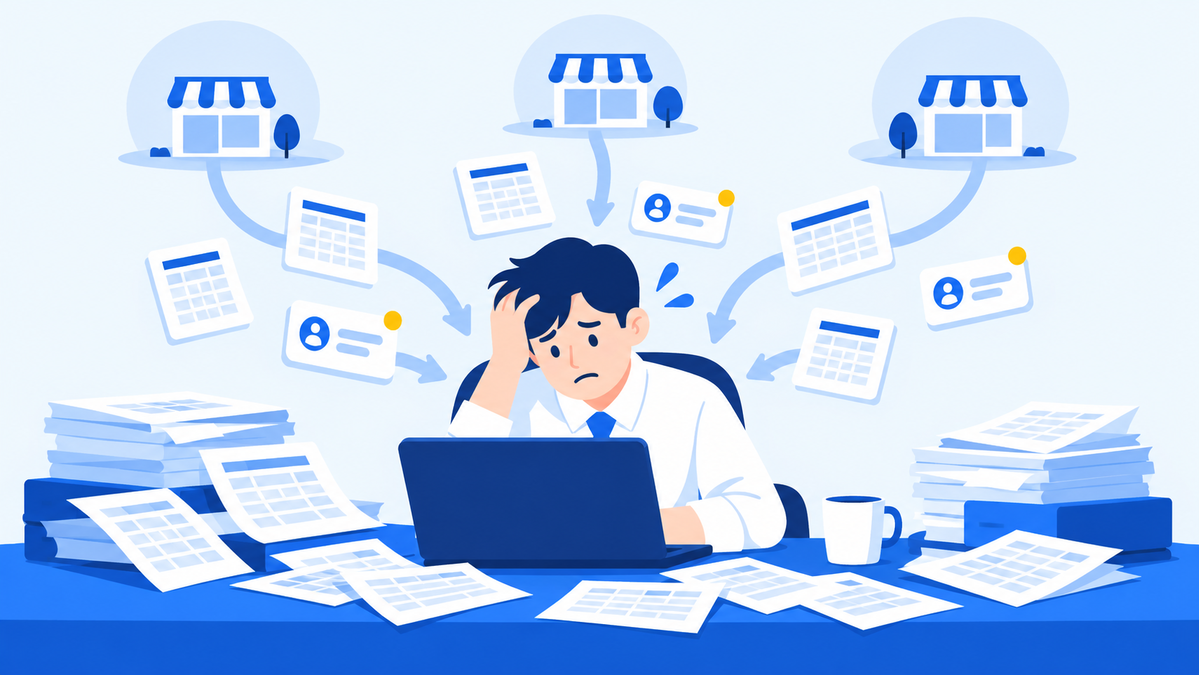
The benefits of a franchise ERP are the changes that happen when work scattered across headquarters departments (prospect consultations, franchise contracts, store openings, store inspections, sales tallies and settlement) is brought into a single system of record, changing the order in which each role handles tasks and the evidence it uses to make decisions. Even with the same system, the change the CEO feels is not the same change the settlement manager feels.
That is why headquarters teams evaluating a rollout reach internal agreement faster when they first ask whose work changes and how, rather than whether the system works at all. This article covers five headquarters roles: the CEO and executives, franchise sales, operations and supervisors, finance and settlement, and store development and openings. For each one, we look at the workflow before the change, the workflow after the change, and the conditions needed for that change to actually happen. At the end, we list metrics for each role that let you confirm the impact in numbers.
Why should you look at franchise ERP benefits role by role?
If you lump the benefits of a franchise ERP into one phrase like "greater efficiency," you can't verify them. You can only confirm them by breaking them down into workflow changes for each role. Each headquarters department handles different information on different closing cycles, so the changes the same system creates show up at different points in each department.
What matters to the franchise sales team is that the consultation history stays intact from the moment an inquiry comes in until the contract is signed. What matters to finance and settlement is less work at month-end matching each store's contract terms against its sales data. Executives want to see the results of both workflows in one place instead of receiving separate reports. If you ask about benefits using a single yardstick, you can't properly explain the change in any department.
This article organizes each role using the three-stage framework below.
| Stage | Question to ask | What it captures |
|---|---|---|
| Workflow before the change | Where is this work recorded today, and who handles it in what order? | Current workflow and bottlenecks |
| Workflow after the change | Once records are in one place, how do the processing order and the basis for decisions change? | What changes and which checks go away |
| Conditions for the change | Beyond adopting the system, what does headquarters need to decide in advance? | Data entry standards, owners, operating rules |
The third stage is especially important. A franchise ERP is a tool for gathering records, so if headquarters doesn't also standardize what gets entered, when and by whom, only the screens change and the way people work stays the same. Whether this condition is met explains most of why the benefits differ from department to department.
The role-by-role breakdown also helps you decide the rollout order. When you write down the current workflows of all five roles side by side, the role with the worst bottleneck stands out. If you move that role's work into the system first, your team will feel the change sooner. If you try to move every department at once, the work of defining data entry rules piles up all at the same time, which can cause more confusion early on.
Franchise ERP advantages: what changes for executives and the franchise sales team?
Executives go from waiting for reports to checking things directly whenever they need to. The franchise sales team goes from consultations that depend on personal notes to consultations where every stage is recorded. What the two roles have in common is a change in whose hands information passes through.

When scattered inquiry notes become stage-by-stage consultation records, consultations continue even when the rep changes
CEO and executives: from waiting on reports to checking the records
In the workflow before the change, store sales, inspection results and new prospect pipelines pile up separately with staff in each department. When an executive meeting approaches, staff gather the data and turn it into a report. When the CEO asks about a particular store, staff go back to dig up the data, and this repeats. A large part of each meeting goes to checking whether the numbers add up.
In the workflow after the change, sales tallies by store, inspection history and the sales pipeline are organized to the same standard, so executives look them up directly when they need them. Reports stop being documents that copy numbers and become documents that explain causes and actions. Meeting time also shifts from checking figures to making decisions.
1
CONDITION
Conditions for change at the executive level
Every department must enter data using the same store definitions and the same time periods. If you don't define early on what executives want to see, the data will pile up but meeting materials will still be put together separately.
Franchise sales team: from scattered inquiries to a stage-by-stage consultation pipeline
In the workflow before the change, inquiries from prospective franchisees that come in by phone, website or messenger are taken by individual reps and jotted down in personal notes or notebooks. The next follow-up depends on the rep's memory, and to check what questions came up and what follow-ups were promised, someone has to search through messenger and call logs one by one. When a rep leaves the company or goes on vacation, the context of the consultation goes with them.
In the workflow after the change, each inquiry is registered as a lead and assigned to a rep, and its consultation stage and history build up over time. The sales lead can view each rep's pipeline and consultation progress and deal with stalled leads first. Decisions made during consultations and the contract history can be seen in the same flow. Even if the rep changes, the next person picks up where the previous consultations left off. The record also shows when the pre-contract disclosure documents were sent and when the prospective franchisee opened them. After the contract is signed, alerts flag upcoming expiration dates so the team can prepare for renewal talks.
2
CONDITION
Conditions for change in franchise sales
First, you need a rule that funnels every inquiry channel into one place, and team agreement on how to divide the consultation stages. If each person defines the stages differently, conversion numbers lose their meaning.
How does HQ work standardization change for operations and supervisors?
For the operations team and supervisors, the benefit of a franchise ERP shows up when inspections turn from one-off visit records into an improvement history for each store. Results in store quality management depend less on a single inspection than on tracking whether the issues found were actually fixed.
In the workflow before the change, a supervisor visits the store, fills out an inspection checklist and takes photos, then returns to the office, writes it up as a document and uploads it to a shared folder. To check the issues from last time on the next visit, the supervisor has to find the old file again. When store assignments change, the new supervisor has to learn the store's history from scratch. And because each supervisor grades the same items differently, comparing stores is difficult.
In the workflow after the change, inspection results based on QSCV (Quality, Service, Cleanliness, Value) are linked to each store's record and build up over time. Before a visit, the supervisor reviews the store's past inspection results, corrective action requests and whether action was taken, then follows up on those fixes on site. The operations manager can spot issues that keep recurring by store and by item, and decide where training or manual updates are needed. It also becomes possible to put a store's sales tallies next to its inspection results and look at how quality problems relate to sales trends.
3
CONDITION
Conditions for change in operations
Headquarters must consolidate inspection items and grading criteria into a single standard. If the items vary by supervisor, the records pile up but can't be compared. You also need to set a deadline and a person responsible for verification for each issue found, so that records become something you can track.
The same principle applies when inspection results go back and forth with stores. You need to record when an issue was sent, when the store completed the fix and when the supervisor rechecked it. Only then can you tell whether delays in improvement are on the headquarters side or the store side. With that distinction, the operations team can base store evaluations and support plans on records rather than gut feeling.
How do workflows change for finance and settlement and for store development and openings?
For finance and settlement, month-end reconciliation shifts to reviewing exceptions. For store development and openings, opening preparation that depended on one person's memory shifts to item-by-item checklists. Because the workload in both roles grows quickly as the number of stores increases, these roles tend to feel the benefits most.

Settlement shifts to reviewing exceptions, and opening preparation shifts to headquarters checklists
Finance and settlement: from collecting files store by store to checking against contract terms
In the workflow before the change, at month-end the team collects each store's sales data separately for each channel, then opens the contracts and matches royalty rates and settlement terms store by store. When stores with different terms (depending on when they signed) are mixed together, manual matching drags on. If a store disputes the calculation, the team has to dig up the supporting documents again.
The key to the workflow after the change is connection. When each store's contract terms and sales data sit under the same store definition, staff spend less time flipping between contracts and sales files to match them, and can spend that time reviewing exceptions that fall outside the standard. If sales are scattered across channels under different standards, this connection doesn't hold, so the starting point for changing settlement work is to bring sales onto a single standard. When supporting documents stay in one place, the team can answer store inquiries using the same data.
4
CONDITION
Conditions for change in settlement
First, you have to organize the settlement terms in all existing contracts and move them into the system. If verbally agreed exceptions or special terms aren't recorded, reviewing exceptions turns back into manual matching.
Store development and openings: from opening prep tied to one person to a shared checklist
In the workflow before the change, document preparation after signing, interior construction and training schedules are split across the rep's personal calendar and messenger chats. When several store openings overlap, nobody but the rep knows how far each store has progressed, and items get dropped during handovers.
In the workflow after the change, headquarters manages store opening tasks by dividing them into documents, interiors and training, and the relevant departments track the progress of each item together. Headquarters compares openings running at the same time to deal with delayed stores first, and keeps opening quality consistent with the same checklist even when the rep changes.
5
CONDITION
Conditions for change in store openings
Headquarters must first finalize the opening tasks and their order as a standard checklist. If reps add or skip items at will for each store, opening quality will keep varying even with a checklist.
What metrics measure the benefits of a franchise ERP?
You can confirm the benefits of a franchise ERP accurately when you record metrics and baselines for each role before rollout, then measure again the same way and compare. A feeling that things got easier after rollout is hard to use as a basis for internal reporting or for decisions on further investment.
At a glance: changes by role and metrics to measure impact
| Role | Before | After | What to measure |
|---|---|---|---|
| CEO and executives | Review after compiling department reports | Look up directly when needed | Time spent compiling meeting materials |
| Franchise sales team | Inquiries scattered in personal notes | Built up in a stage-by-stage pipeline | Missed inquiries, time to first response |
| Operations and supervisors | Inspection results stored as documents | Improvement history tracked by store | Completion rate of fixes, repeat issues |
| Finance and settlement | Collect files by store and match manually | Contract-based settlement, exception review | Days to close month-end settlement, settlement disputes |
| Store development and openings | Depends on the rep's memory | Shared HQ standard checklist | Missed opening tasks, days of delay versus target date |

You need to record baselines before rollout to compare the changes afterward on the same basis
1
MEASUREMENT
Four steps to measure the impact of a rollout
- Record baselines: Measure the items above using your current methods for a set period before rollout.
- Lock in definitions: Document the reference points for things like missed inquiries or settlement close, and use the same definitions before and after rollout.
- Assign metric owners: Name a person responsible for measurement in each role so the records don't break off.
- Compare on the same cadence: After the work moves into the system, measure again on the same cadence, such as quarterly, and set the results next to the baselines.
Not every metric moves at once. Changes show up first in the metrics for work moved into the system first, and roles where data entry rules haven't settled in may actually see more recordkeeping work early on. When a metric doesn't move as expected, check first whether the conditions for change described above have been met, before blaming the system.
How does FDAM connect work across HQ roles?
FDAM is an AI operations platform for franchises that links franchise sales, contracts, store openings and store operations management into one history per store, and shows the same data through role-specific screens. It was built by MS Benter, which has been creating solutions tailored to franchise operations since 2003, by connecting HQ Operations (franchise ERP) with Unified Sales, AI forecasting and Sodam, its program for franchise stores. MS Benter has built systems for more than 500 brands and holds GS (Good Software) certification, Korea's government-backed software quality certification.
- CEO and executives: The executive screen shows the status of the entire brand, and the AI operations report lays out period performance, key changes, at-risk stores and recommended actions in separate versions for executives and for staff. The report serves as a first draft of meeting materials, and follow-up tasks are assigned to owners and tracked.
- Franchise sales team: FDAM organizes franchise inquiries from multiple channels, assigns reps and shows the consultation pipeline in stages tailored to the brand, such as New inquiry, In consultation, Under review and Contract pending. AI meeting notes summarize consultation calls and meetings, recording key questions, decisions and next actions in the sales history. Pre-contract disclosure documents are generated in FDAM and sent by KakaoTalk (Korea's leading messaging app), text message and other channels, and the time they were viewed is logged, creating a record of delivery and review. For contracts signed through FDAM's e-contract feature, an automatic alert goes out 30 days before expiration, so the team never misses the window for renewal talks.
- Operations and supervisors: The operations manager's screen gathers anomalies and tasks to handle, and the supervisor's screen gathers the management status of assigned stores. Items that fall short in QSCV inspections are registered as corrective action requests with an owner and a deadline. When a store uploads photos of the fix in Sodam, the supervisor reviews them and tracks the item through reinspection. Store inquiries and HQ support history are managed as customer service issues with an owner, status and resolution deadline. AI sales-decline forecasts and store-closure risk forecasts flag stores that need close attention and the risk factors involved, and suggest priorities for supervisor visits.
- Finance and settlement: FDAM settles royalties and other charges based on each store's contract terms, and stores check royalties, transaction ledgers, receivables and credit balances in Sodam. Unified Sales standardizes POS, special venue (airports, highway rest areas, etc.) and delivery app sales by store, date and order so they can be viewed and compared on the same basis. AI off-catalog purchasing analysis compares HQ-supplied items with outside purchases to flag stores that need a cost or inventory check. Because organizing contract terms and unifying sales standards, the conditions for changing settlement work discussed earlier, are handled by these features, staff can focus on reviewing exceptions in results already calculated according to contract terms.
- Store development and openings: Headquarters checks each store's target date and key milestones in the opening calendar, and manages required tasks and completion criteria through department checklists covering site development, construction, training, permits and initial stock delivery. When a deadline approaches or a prerequisite task is finished, the next owner at headquarters gets an alert, and through the e-contract integration, contract information and required documents carry over into the opening record.
AI features handle recommendations, drafts and alerts, while staff review and approve the actual actions. Feature availability and scope depend on each brand's data and way of working, so we confirm them during a sales consultation. You can start with your highest-priority areas, moving through diagnosis, integration, validation and training, and expansion. During rollout, we review the format and quality of your existing data to decide the scope and method of migration, and we also provide training for headquarters staff and ongoing support once you're up and running.
Sodam handles the store side of the work. Sodam is an all-in-one operations program built for franchise stores, covering order management, receiving and inventory, HQ notices, surveys and inquiries, staff management and AI order recommendations, and it runs on the same data as FDAM. Corrective action requests and notices from headquarters are handled at the store, and the results flow back to headquarters screens. So when you review benefits by role, mapping out the work stores handle as well makes it easier to define the scope of your rollout.
Frequently asked questions
Q. When can we start seeing the benefits of a franchise ERP?
You can see them first in the work you move into the system first. Rather than moving everything at once, pick one time-consuming task to start with and record its baseline before rollout. That way, you can confirm the change quickly.
Q. Is a franchise ERP still worth it if our headquarters team is small?
The smaller the headquarters, the more roles each person covers, so simply having records kept in the system is a benefit in itself. It reduces the risk of consultations, store openings and settlement all stopping when one person is out.
Q. How should we report the benefits of a franchise ERP to executives?
A clear approach is a table that sets each role's metrics side by side, with pre-rollout baselines and post-rollout measurements. If you add how far each role has met the conditions for change, you can also report which areas need work in the next phase.
Q. Can we expect the same benefits from a general-purpose ERP?
General-purpose ERPs centered on accounting, HR and purchasing focus on managing internal company work. Work that happens between headquarters and stores, such as prospect consultations, franchise contracts, store openings and store inspections, is the core territory of a franchise ERP. It's worth first sorting out which side the work you want to improve falls on.
Wrapping up: where should you start confirming franchise ERP benefits?
The benefits of a franchise ERP show up in different places for each role, and you can only confirm them when headquarters puts data entry standards and operating rules in place alongside the system. Start your evaluation by picking the one role at your headquarters that most needs to change, and writing down its current workflow and the metrics you'll track.
Which role at your headquarters should change first?
Talk with us to identify which areas to tackle first, based on workflows and metrics for each role.
Contact sales about FDAMExplore FDAM features Chat with us on KakaoTalk
Call us at 1544-7120 (Korea)
Franchise ERP, franchise ERP benefits, franchise ERP advantages, HQ work standardization, rollout impact metrics, franchise sales management, supervisor work, store settlement, franchisor headquarters management, MS Benter, FDAM