Franchise ERP vs. General ERP: 6 Criteria for HQ and How to Choose
Franchise ERP vs. general ERP, compared across 6 criteria
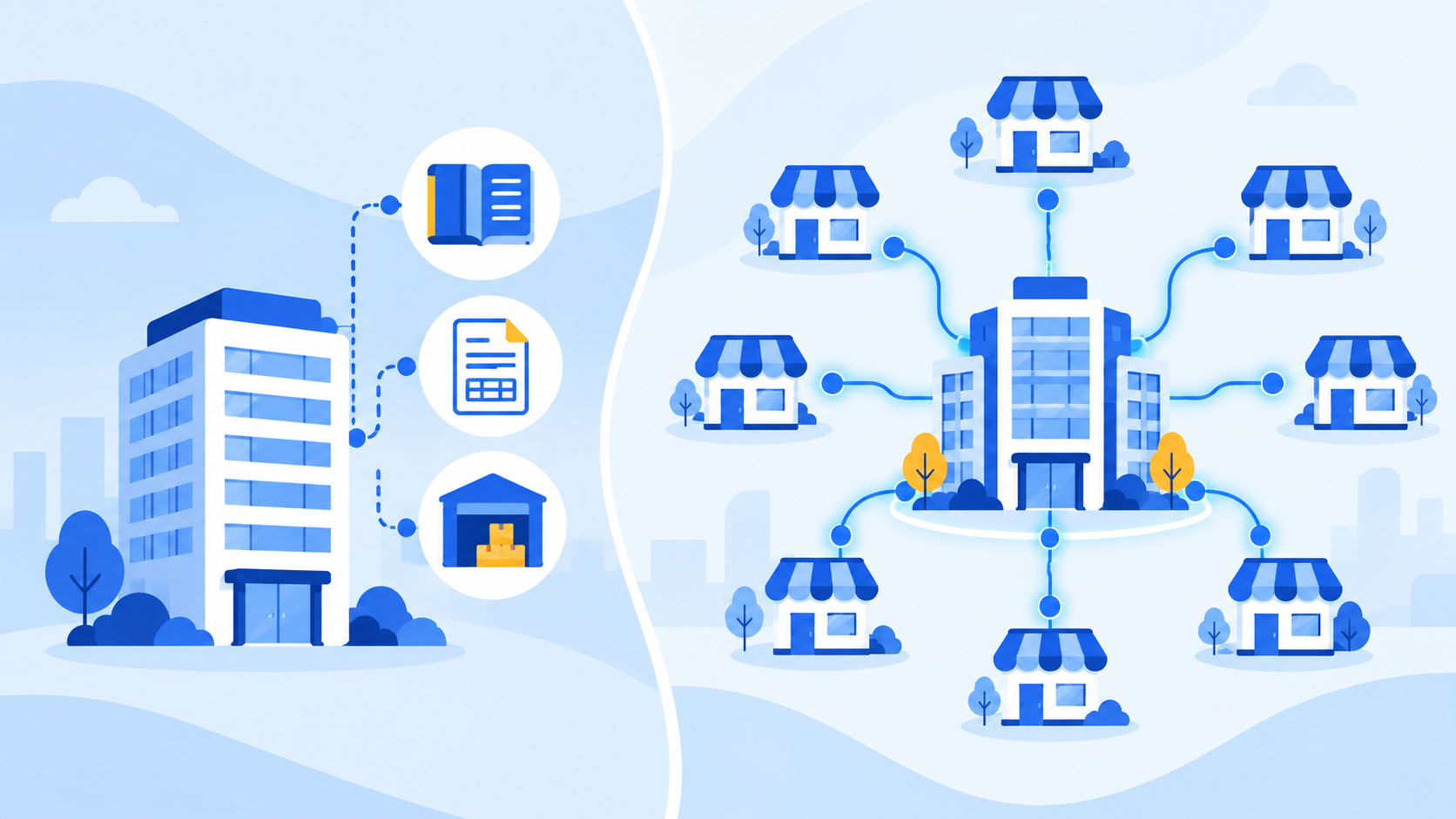
A general ERP centers on a company's internal resources; a franchise ERP centers on the work between headquarters and its franchise stores
CORE SUMMARY
✓ The fundamental difference between a franchise ERP and a general ERP is whether data is organized by department and vendor or by franchise store.
✓ If you run a franchisor headquarters on a general ERP alone, your accounting stays organized, but franchise consultations, contract schedules, store-opening preparation and inspection history tend to live outside the system.
✓ The differences become clear when you compare the two systems on 6 criteria: unit of management, sales management, store-opening management, sales data, settlement and operational quality.
✓ A parallel setup, keeping accounting and tax in your existing system and moving only franchise store work to a franchise ERP, is also a realistic option.
A franchise ERP is an ERP built for headquarters that lets a franchisor manage, store by store, the work that flows between headquarters and its franchise stores: startup consultations, franchise agreements, store openings, operational inspections of franchise stores, and sales aggregation and settlement. It differs from a general ERP, which handles a company's internal accounting, purchasing, inventory and HR by department, in both what it manages and how its data is anchored.
At headquarters that are growing a franchise business, one question comes up often: "We already use an ERP. Do we really need a separate franchise ERP?" Both systems carry the ERP name, so when you line up their feature lists they appear to overlap, but they start from different design premises. If you choose a system without sorting out this difference, you can end up closing the books in the system while store-related work stays in personal files and messenger apps.
This article covers, in order, what purpose a general ERP was built for, where it falls out of step with franchisor headquarters work, 6 criteria for comparing the two systems, and how to decide based on your headquarters' situation. Rather than reading it as a ranking of specific products, read it with one question in mind: "What does our headquarters need to manage in a system?" That will help you make the call.
What is the difference between a franchise ERP and a general ERP?
The difference between a franchise ERP and a general ERP ultimately comes down to "what counts as a single unit of management." A general ERP builds its data around departments and vendors, while a franchise ERP builds it around each individual franchise store, and most other functional differences stem from this difference in reference point.
A general ERP was built to manage resources inside the company
ERP (Enterprise Resource Planning), as the name suggests, is a system for planning and controlling a company's internal resources: money, goods and people. Its original purpose was to tie together purchasing, production, inventory, sales, accounting and HR data to reduce information mismatches between departments. That is why a general ERP's data structure is built around chart-of-accounts items, products, vendors and departments, and this structure has clear strengths in accounting accuracy and internal control.
A franchisor's core work moves together with stores outside the company
Franchisor headquarters work is different in nature. Much of headquarters staff time goes to work done together with franchise stores, which are legally independent businesses: consulting with prospective franchisees, signing franchise agreements, supporting new store openings, and inspecting quality and managing sales at operating stores. A franchise store is neither a department of headquarters nor a simple vendor that buys and sells goods. It has a contract term and conditions, stages before and after opening, and its own inspection history and sales trends that accumulate store by store.
Fitting this work into a general ERP tends to mean registering franchise stores as vendors and attaching everything else as notes or files. A franchise ERP, by contrast, is designed from the start to treat each franchise store as one unit of management and to link consultation history, contract, opening, inspections and sales in chronological order. Even with the same name, the two are designed around different centers, and you need to establish that first for any feature comparison to be accurate.
What gaps appear when you manage franchise store work with a general ERP?
When a franchisor runs on a general ERP alone, accounting and inventory are organized inside the system, but store-related work gets pushed outside it. At first, staff effort fills these gaps, but they all surface at once when the number of stores and staff grows.

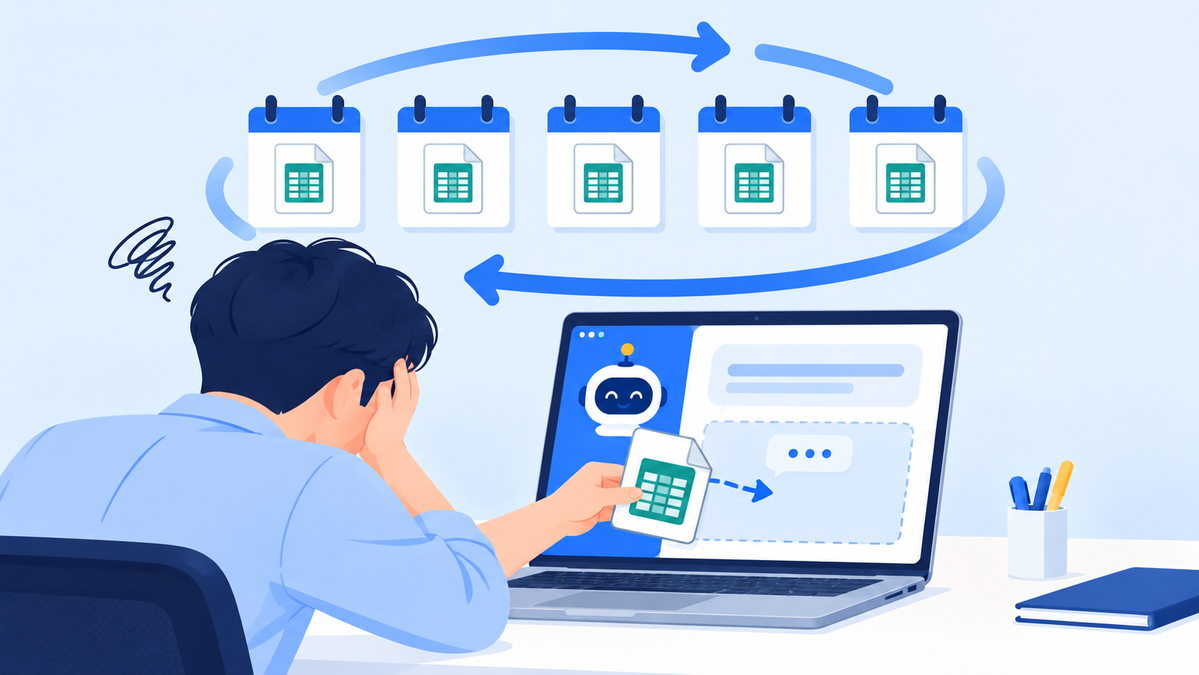
When franchise store work is scattered outside the system, reconciling information becomes a recurring chore
The gaps repeatedly observed in practice fall into 4 broad types.
1
CAUSE 01
Franchise consultation history stays with individual staff
Startup inquiries come in through many channels, including phone, website and messenger apps, but a general ERP has no franchise sales stage to receive them. Consultation notes pile up in staff members' personal files or notebooks, and when the person in charge changes, the team has to start by figuring out which prospective franchisee they were talking to and how far the conversation got.
Solution: You need a structure that records everything from inquiry intake through consultation stages to contract conversion as a history for each prospective franchisee.
2
CAUSE 02
Contract documents and schedules do not carry over to the next stage
A franchise business involves documents that must be provided to prospective franchisees before signing, such as the franchise disclosure document, and after signing, that contract information becomes the starting point for store-opening preparation. But a general ERP has nowhere to connect contract and opening, so each department re-enters the same information, and deadlines are tracked through calendars and separate files.
Solution: You need a structure in which contract information and required documents flow into the next stage, and staff are alerted as deadlines approach.
3
CAUSE 03
Store-opening preparation runs on staff memory
A new store opening involves many tasks across departments running at the same time, such as document checks, interior construction and owner training. Because a general ERP has no store-opening stage, each person tracks progress separately, and every handover brings omissions and inconsistent quality.
Solution: You need a structure in which headquarters defines store-opening tasks item by item and tracks their progress.
4
CAUSE 04
Inspection results and sales do not connect into a store history
Supervisors' store inspection results accumulate as photos and documents, while franchise store sales pile up separately in the POS and in each delivery app's admin page. To see whether last time's issues were fixed, or how sales changed after an inspection, you have to dig up and reconcile multiple sources.
Solution: You need a structure in which inspection records and sales figures come together around the same franchise store.
What the 4 gaps have in common is that they arise not because the information is missing, but because it is not gathered by store. It is more accurate to see them as structural gaps that exist because a general ERP was never designed for this work, not because it is an inadequate system.
How do you compare a franchise ERP and a general ERP across 6 criteria?
The differences between a franchise ERP and a general ERP become clear when you compare them on 6 criteria: unit of management, sales management, store-opening management, sales data, settlement and operational quality. Each criterion is laid out so headquarters can use it directly as a checklist item when evaluating systems.

A franchise ERP handles each franchise store's work as a single flow, from consultation to settlement
1
POINT 01
Unit of management: department and vendor, or franchise store?
In a general ERP, information about the same store is split across the accounting, sales and purchasing modules. A franchise ERP aims for a structure where selecting one franchise store shows its consultation history, contract terms, opening progress, inspection results and sales in a single flow.
2
POINT 02
Sales management: order management, or franchise sales management?
A general ERP's sales features cover the process of selling goods, such as quotes, sales orders and shipments. Franchisor sales, however, run from startup inquiry intake to consultation, pre-contract document delivery and signing the franchise agreement, so you need a pipeline that treats prospective franchisees as the subject of management.
3
POINT 03
Store-opening management: does the workflow stage exist?
The period from contract to store opening is a work phase unique to franchisors. General ERPs often do not provide this phase as a standard feature, whereas a franchise ERP lets headquarters define store-opening items such as documents, interior work and training, and track their progress.
4
POINT 04
Sales data: HQ revenue, or franchise store sales?
The sales a general ERP handles are the revenue headquarters itself books, that is, accounting revenue. The numbers a franchisor uses for operational decisions are each franchise store's in-store sales, and these come in scattered across not just the POS but multiple delivery apps and special venues such as department stores and highway rest areas. To compare them on the same basis, you need a structure that standardizes and unifies POS and delivery app sales by store and date.
5
POINT 05
Settlement: general accounting, or settlement by contract terms?
A franchisor's settlement items, such as royalties, logistics fees and advertising contributions, can be calculated differently for each store depending on its franchise agreement terms. A general ERP is strong at recording settlement results in the books, but the process of deriving those results from contract terms is often managed separately.
6
POINT 06
Operational quality: are inspections and follow-ups tracked?
Regular inspections against quality, service and cleanliness standards, corrective action requests and re-inspections are core work in franchise store operations management. They often fall outside a general ERP's standard scope, while in a franchise ERP, inspection results and follow-up actions accumulate as store history.
| Criterion | General ERP | Franchise ERP |
|---|---|---|
| Unit of management | Department, vendor, product | Franchise store |
| Sales management | Quotes, sales orders, shipments | Startup inquiries, consultations, pre-contract documents, franchise agreements |
| Store-opening management | Outside standard scope (custom development) | Tracking of documents, interior work and training |
| Sales data | HQ accounting revenue | Unified store POS and delivery app sales |
| Settlement | Focused on bookkeeping | Settlement items and criteria by store |
| Operational quality | Outside standard scope (custom development) | Regular inspections and corrective action history |
Items marked "outside standard scope" in the table are not impossible with a general ERP; they require custom development or separate management. When considering custom development, weigh not only the initial development cost but also the fact that modification costs and timelines recur every time franchise policies or inspection standards change.
How do you decide which ERP fits your headquarters?
The sensible way to decide which ERP fits is to ask whether what headquarters needs to manage in a system is internal company resources or work that moves together with franchise stores. And you do not necessarily have to choose only one of the two.
A parallel setup using an accounting ERP and a franchise ERP together
If your accounting and tax processing already runs reliably, you can consider keeping that system as is and moving only store-related work to a franchise ERP. In that case, the key is where you draw the boundary between the two systems. Decide before adoption which system will be the source of truth for franchise store master data and in what form settlement results will be passed to the accounting system, so you avoid entering the same information twice.
3 signs it is time to evaluate a franchise ERP
- Several kinds of franchise store work are managed outside the system. If two or three or more of consultation records, contract schedules, store-opening preparation and inspection results live in personal files or messenger apps, it is time to evaluate.
- It is hard to understand the work when a particular staff member is away. This signals that history is accumulating in people rather than in the system, and any staffing change immediately becomes a gap in operations.
- Store expansion plans are taking shape. Putting a store-level data structure in place before expanding reduces the burden of migrating records and reformatting them later.
Conversely, if you are still before the franchising stage or your immediate priority is getting accounting and inventory in order, a general ERP or accounting software may be enough. The deciding factor is less the number of stores than where your work is being recorded.
1
STEP 01
List your current franchise store work
- Write down where each of consultation, contract, store opening, inspection, sales aggregation and settlement is recorded.
- Flag separately any work where the same information is recorded in two or more places.
2
STEP 02
Define the system boundary and the data to be linked
- Separate the work that will stay in the accounting ERP from the work that will move to the franchise ERP.
- Define in advance the types and formats of data the two systems will exchange.
3
STEP 03
Confirm the migration scope and support structure
- Decide how much of your existing franchise store information and contract history to migrate.
- Confirm with the vendor how headquarters staff will be trained and how inquiries will be handled after adoption.
How does the franchise ERP FDAM manage headquarters work?
FDAM is an AI operations platform for franchises built by MS Benter Co., Ltd., and at its core is HQ Operations, a franchise ERP that handles franchise sales, contracts, store openings and operations in one system. It is the product of MS Benter's path since 2003 building solutions specialized for franchise operations, from order management and logistics ERP to headquarters ERP, and it focuses on turning the gaps described above into a state where records from sales through operations connect into a single history for each store. The headquarters workflows MS Benter has observed while building systems for more than 500 brands are reflected in this structure.

When inspection and sales information comes together by store, the headquarters team can make decisions from the same information
Sales management: gathering scattered inquiries and consultation history into one pipeline
Franchise inquiries arriving through multiple channels are consolidated into leads, reducing duplicates and misses, and assigned to staff. Consultation details, follow-up schedules and key information such as preferred region and budget are recorded, and progress can be tracked in a consultation pipeline customized to each brand, from new inquiry through in consultation and under review to contract pending. Consultation calls and meetings are summarized as AI meeting notes, so key questions, decisions and next actions remain in the sales history and context carries over even when the person in charge changes. Pre-contract disclosure documents can be generated in the system and sent via KakaoTalk (Korea's leading messaging app), email or text message, and the date and time the prospective franchisee viewed the documents is logged, so both delivery and viewing history are kept.
Contract and store-opening management: headquarters manages opening preparation with department checklists
At the contract stage, electronic franchise agreements carry contract information and required documents into the store-opening information, reducing re-entry of the same details, and an automatic alert goes out 30 days before a contract expires so you do not miss the window for renewal discussions. Headquarters checks scheduled dates and key milestones on the store-opening calendar and sets up brand-standard required tasks and completion criteria, such as site development, construction, training, permits and initial logistics, as department checklists. When a deadline approaches or a prerequisite task is completed, the next person in charge is notified, so headquarters can manage store-opening quality to the same standard even as the number of openings grows.
Operations management: tracking everything from inspection to improvement and customer support as store history
Using brand-standard checklists, headquarters records QSCV (Quality, Service, Cleanliness, Value) inspection results with scores and photos and compares score trends by store, region and period. Deficient items are registered as corrective action requests with an owner and a deadline, and are tracked through the store's upload of action photos, supervisor (SV) confirmation and re-inspection. Franchise store inquiries and headquarters support history are managed as customer support issues with owner, status and resolution deadline, and when sales, ordering or inspection data shows unusual changes, AI anomaly alerts point out which stores to check and the likely causes first. Settlement items such as royalties are settled based on each store's contract terms, and store owners can check royalties, transaction ledgers and outstanding balances in Sodam. In this way, five of the 6 comparison criteria (unit of management, sales, store opening, settlement and operational quality) connect into a single store history.
Areas outside HQ Operations draw on the same data. Unified Sales standardizes sales from the POS, special venues and 5 delivery apps (Baemin, Coupang Eats, Yogiyo, Ddangyo and Baedal Teukgeup) by store and date so you can compare them on one screen. With the AI Platform, you pick only the features you need, such as order recommendations or operations reports; it offers recommendations and drafts only, and staff review and approve any action. On the store side, Sodam, a dedicated all-in-one operations program for franchise stores covering order management, receiving, inventory, HQ notices, surveys, inquiries, staff management and AI order recommendations, connects to FDAM through the same data. You do not need to adopt every area at once: FDAM diagnoses your current workflows so you can start with the areas you need, and the migration scope for existing data is set after checking its format and quality. Adoption includes existing data migration and headquarters staff training, with support for inquiries during operation, and FDAM, which holds GS (Good Software) certification, works on PC, tablet and mobile.
Frequently asked questions
Q. Are "franchise ERP" and "franchise store management program" the same thing?
Broadly, they are used in similar ways, but their scope differs. A franchise store management program often refers to specific tasks such as inspections or notices, while a franchise ERP is closer to a concept that ties all headquarters work, from franchise sales through store opening, operations and settlement, into one flow.
Q. If we already use an accounting ERP, do we have to replace it?
Not necessarily. You can run a parallel setup that keeps accounting and tax in your existing system and manages only franchise store work in a franchise ERP. In that case, it is important to decide before adoption which system holds franchise store master data and how settlement results will be transferred.
Q. Can a custom-developed general ERP be used like a franchise ERP?
Technically yes, but you need to factor in maintenance costs. Franchise policies, contract terms and inspection standards keep changing as the business grows, so custom-built features need modification each time. We recommend comparing the total cost with a system designed from the start around franchisor headquarters work.
Q. Should headquarters in the early stage of franchising also evaluate a franchise ERP?
The deciding factor is less the number of stores than whether work is tied to specific staff members. If consultation and contract history accumulate by franchise store from the start, the burden of migrating and organizing data during later expansion is reduced, so if you have expansion plans, it is worth comparing options early.
Choosing a franchise ERP: where should you start?
Choosing a franchise ERP starts not with a feature list but with defining what headquarters needs to manage. If the job is managing the company's internal money and goods, a general ERP is the system designed for it; if it is the consultations, contracts, store openings, inspections, sales and settlement that move together with franchise stores, a franchise ERP is the system designed to hold that work.
Apply the 6 comparison criteria and 3 signs covered here to your current work, and it becomes concrete which work remains outside the system and how much should move to a new system. That list is the starting point for evaluating a franchise ERP.
Wondering which ERP setup fits your headquarters?
Talk to sales to see how FDAM would apply based on the systems you use today and the scope of your franchise store work.
Contact salesExplore FDAM features Chat on KakaoTalk
Call us: 1544-7120 (Korea)
franchise ERP, general ERP, franchise ERP vs. general ERP, what is a franchise ERP, franchise store management program, franchisor headquarters ERP, franchisor work management, franchise agreement management, franchise settlement, MS Benter, FDAM